Oracle Apps Java Concurrent Program

Oracle Apps Java Concurrent Program

We can build Java concurrent programs to use java capabilities. 

Following are some steps 

1. Create and compile java Class in jDeveloper.

  1. my suggestion is to create Java class package oracle.apps.fnd.cp.request
  2. Java class must implements JavaConcurrentProgram

Sample Java Class

package oracle.apps.fnd.cp.request;


import java.io.File;

import java.io.FileInputStream;

import java.io.FileOutputStream;

import java.io.FileWriter;

import java.io.IOException;

import java.io.PrintWriter;

import java.io.StringWriter;


import java.security.NoSuchProviderException;


import java.sql.Connection;

import java.sql.PreparedStatement;

import java.sql.ResultSet;

import java.sql.SQLException;


import java.text.SimpleDateFormat;


import java.util.Date;


import oracle.apps.fnd.util.ParameterList;


import oracle.jdbc.OracleCallableStatement;


public class JavaConcRestAPIClient implements JavaConcurrentProgram {

    String pDate;


    public JavaConcRestAPIClient() {

    }


    public void runProgram(CpContext pCpContext)  {

        // get the JDBC connection object 

        Connection mJConn = pCpContext.getJDBCConnection();


        // get parameter list object from CpContext 

        ParameterList lPara = pCpContext.getParameterList();


        // get ReqCompletion object from CpContext 

        ReqCompletion lRC = pCpContext.getReqCompletion();


        // get OutFile object from CpContext 

        OutFile lOF = pCpContext.getOutFile();


        // get LogFile object from CpContext 

        LogFile lLF = pCpContext.getLogFile();


        // value and use it as the application short name in the query 

        while (lPara.hasMoreElements()) {

            NameValueType aNVT = lPara.nextParameter();

            if (aNVT.getName().equals("pdate"))

                pDate = aNVT.getValue();

        }

      lOF.writeln("+--------------------------------------+");

      lOF.writeln("My Concurrent Program REST API Client");

      lOF.writeln("+---------------------------------------+");

      lOF.writeln("");


      try {


      lOF.writeln("+---------------------------------------+");

      lOF.writeln("Calling API ");

      lOF.writeln("+----------------------------------------+");

      lOF.writeln("");


        try {


            URL url;

                url = new URL("http://dummy.restapiexample.com/api/v1/employees");


            lOF.writeln("URL : " + url);


            HttpURLConnection con;

                con = (HttpURLConnection) url.openConnection();


            con.setRequestMethod("GET");


             int status = con.getResponseCode();

             BufferedReader in = new BufferedReader(new InputStreamReader(con.getInputStream()));

             String inputLine;

             StringBuffer content = new StringBuffer();

             while((inputLine = in.readLine()) != null) {

                     content.append(inputLine);

                    System.out.println(inputLine);

             }

             in.close();

             con.disconnect();

             System.out.println("Response status: " + status);

             System.out.println(content.toString());


            lOF.writeln("Content : " + content.toString());


            lOF.writeln("");

            lOF.writeln("+--------------------------------------+");

            lOF.writeln("My Concurrent Program REST API Complete");

            lOF.writeln("+--------------------------------------+");


            lRC.setCompletion(ReqCompletion.NORMAL, 

                    "Request Completed Normal");


        } catch (ProtocolException e) {

             lOF.writeln("Please check the log for error details)");

             lRC.setCompletion(ReqCompletion.ERROR, e.toString());


         } catch (IOException e) {

             lOF.writeln("Please check the log for error details)");

             lRC.setCompletion(ReqCompletion.ERROR, e.toString());


        } /*catch (MalformedURLException e) {

             lOF.writeln("Please check the log for error details)");

             lRC.setCompletion(ReqCompletion.ERROR, e.toString());


        }*/ 

        finally {

            pCpContext.releaseJDBCConnection();

        }

    }

}


2. Move the .class file to $JAVA_TOP$/oracle/apps/fnd/cp/request

3. Register as a Concurrent program
Executable

Concurrent Program

Must put the below reference jars into options without any space

-classpath /apps/apps_st/comn/java/classes:/apps/apps_st/appl/au/12.0.0/java/appsborg.zip:/apps/apps_st/appl/au/12.0.0/java/appsborg2.zip


What is Microservices

What is Microservices

Microservices are an architectural style. Microservices are small task-based services that makeup a solution whereas a monolithic as name suggests is a single large application.

Microservices are designed to perform business processes. A service (microservices) can execute its own to perform business activity.

Microservices communicate with other services locally and as well as external clients over the internet.

Microservices features

Task oriented

Microservices are designed to perform small activities like create account or get account status.

Loosely coupled

Microservices are build in a way to perform task independently and can communicated to communicate to other service whenever need

Technology Independent

This is very good advantage of Microservices architecture, we can have services developed in any language or framework. Service communicate via REST method.

Independent deployment and deployment

Microservice an be deploy individually. Each microservice can be development and separate team can test, deploy and work on future reassess independently. No need to deploy full application in case of change in small piece of code.

Service granularity and scaling

Service are fine grained task based. Can be scale independently, i.e. in e-commerce application during busy season, we may observe high load on a specific service, and we can scale that service without worrying of entire application


Oracle SOA/BPM 12c Installation

Oracle SOA/BPM 12c Installation steps on windows


Following steps


  1. Install Database
  2. Install SOA/BPM software
  3. Create Repository
  4. Create Domain.


First you need to downloaded latest Oracle SOA/BPM installation files from Oracle site.
i.e. http://www.oracle.com/technetwork/middleware/bpm/downloads/index.html?ssSourceSiteId=ocomen


Decompress files and get Jar files


Install latest JDK i.e 1.8


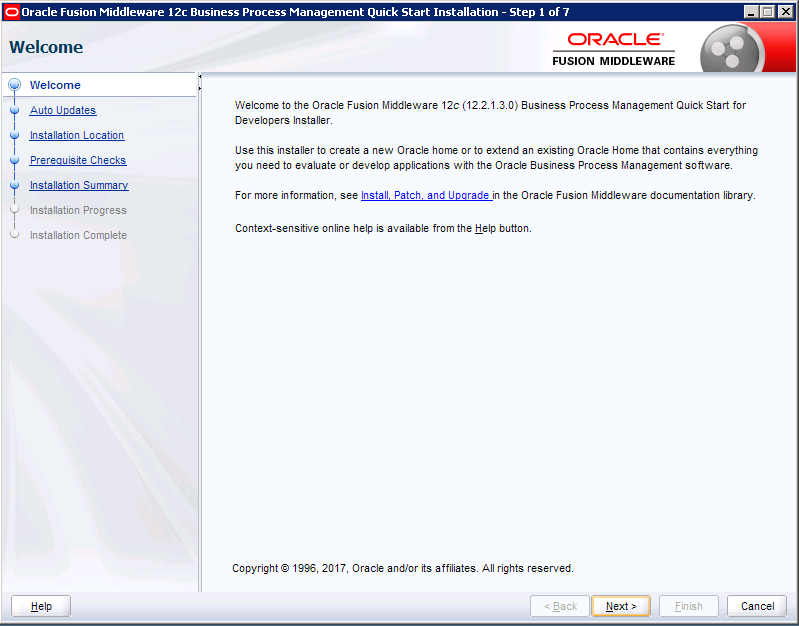
Install SOA/BPM Suite

Please set the JAVA_HOME before you start

Run the setup but using the following command


Java –jar fmw_12.2.1.3.0_bpmquickstart.jar


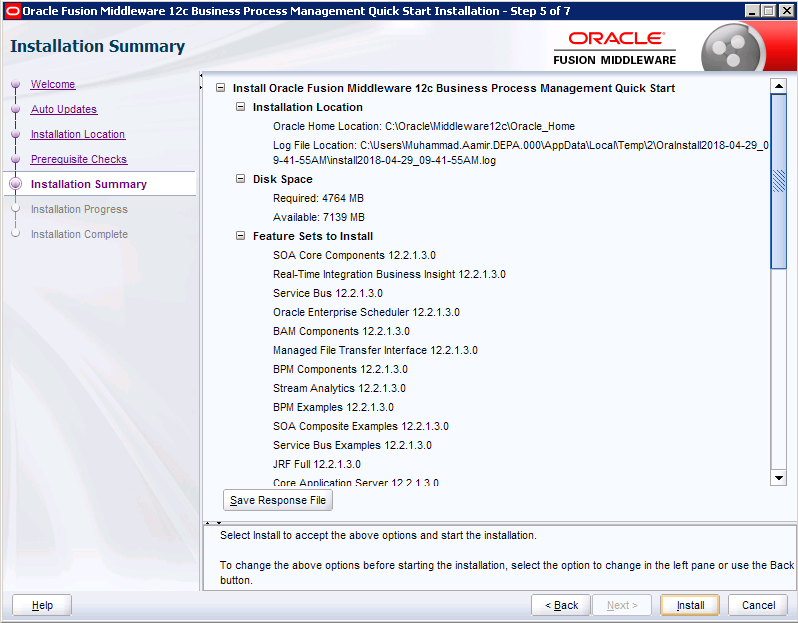
Next


Install


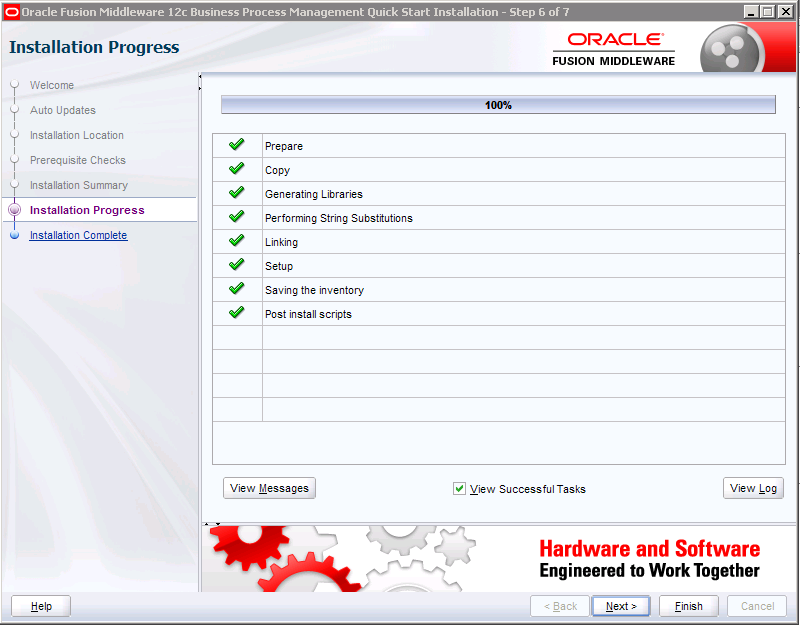
Click next and unselect “Start JDeveloper” check box


And Finish Installation process.

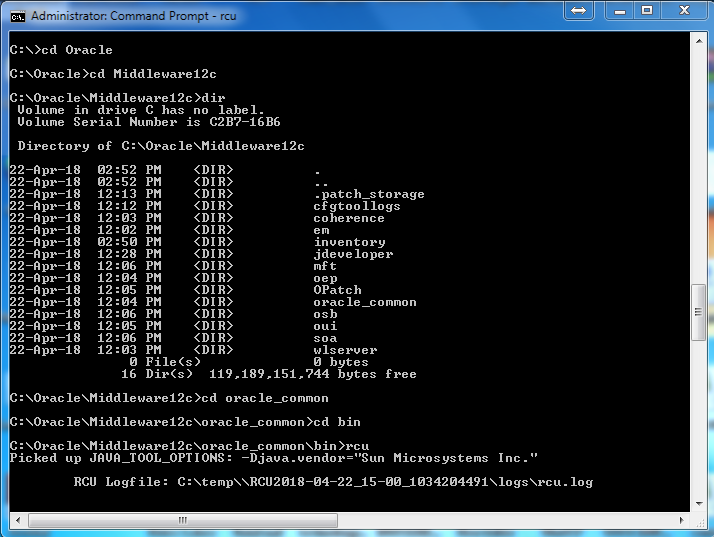
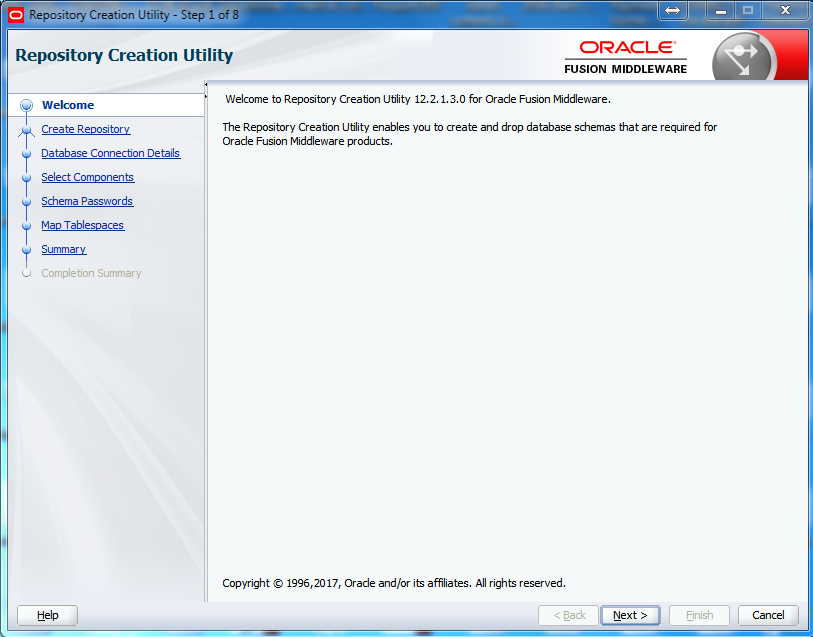
Repository creation


Go to oracle_common\bin


And run rcu


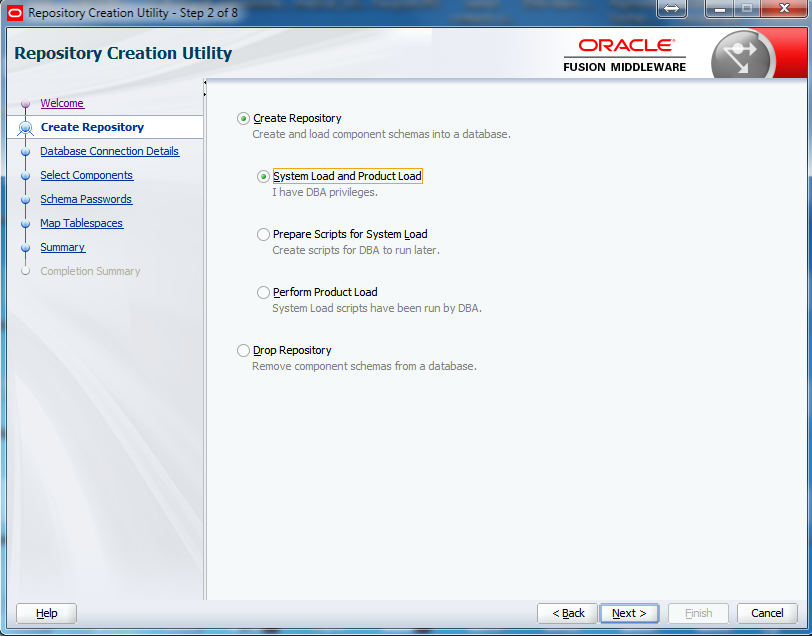
System load and product load if you have sysdba access to repository database


Otherwise select Prepare Scripts for system load and provide to dba


And after dba ran the scripts then Choose Perform Product Load


I am selecting System load and product load for this installation.


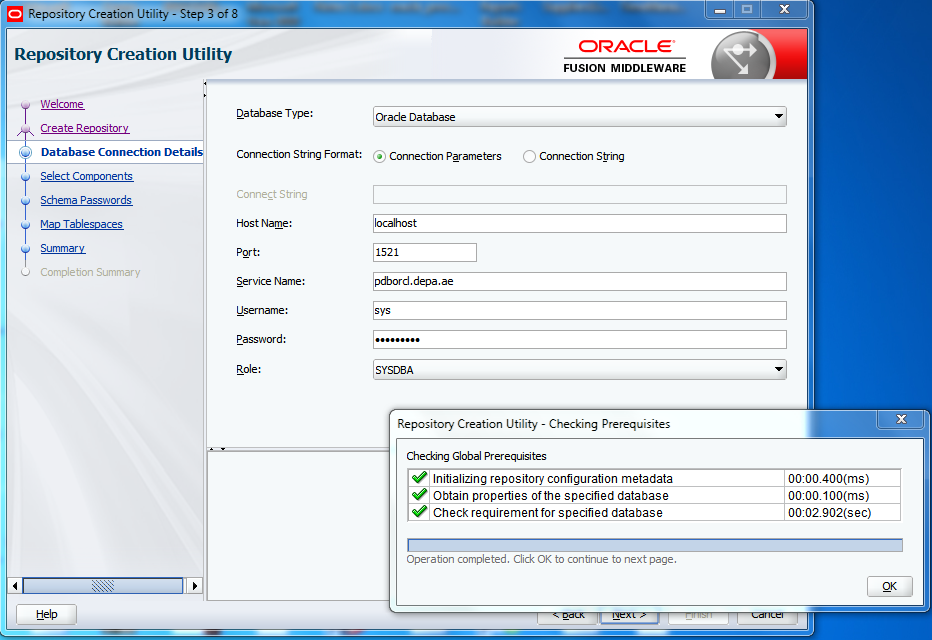
Assuming you already installed Oracle Database 12.1.0.2


Execute following sql to find pluggable database
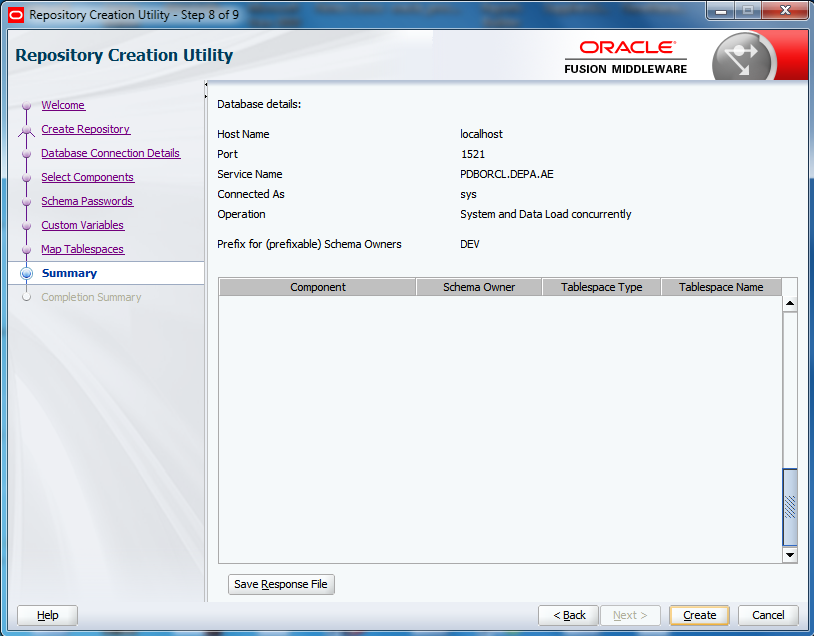
select name from v$services;


Provide database instance details and click Next and Prerequisites check dialog will appear.


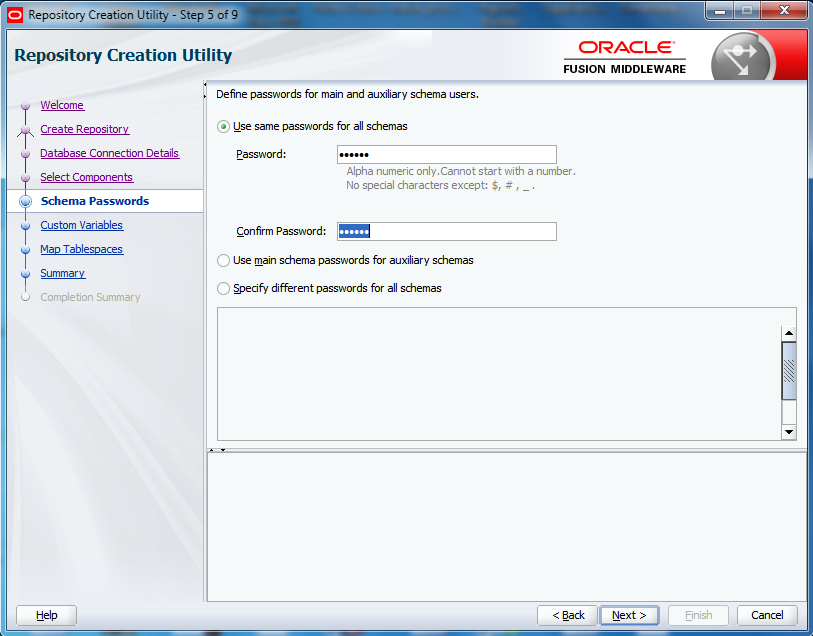
Provide repository schema password


Click Next


Click Create


SOA/BPM domain creation


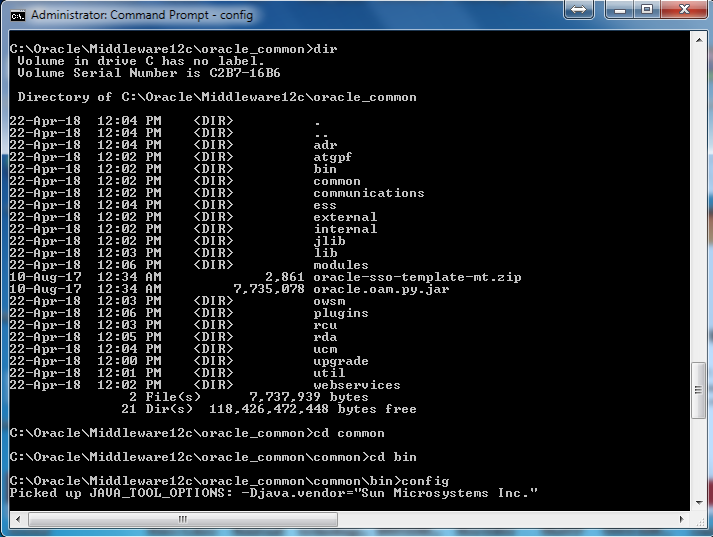
Go to oracle_common\common\bin
Run config


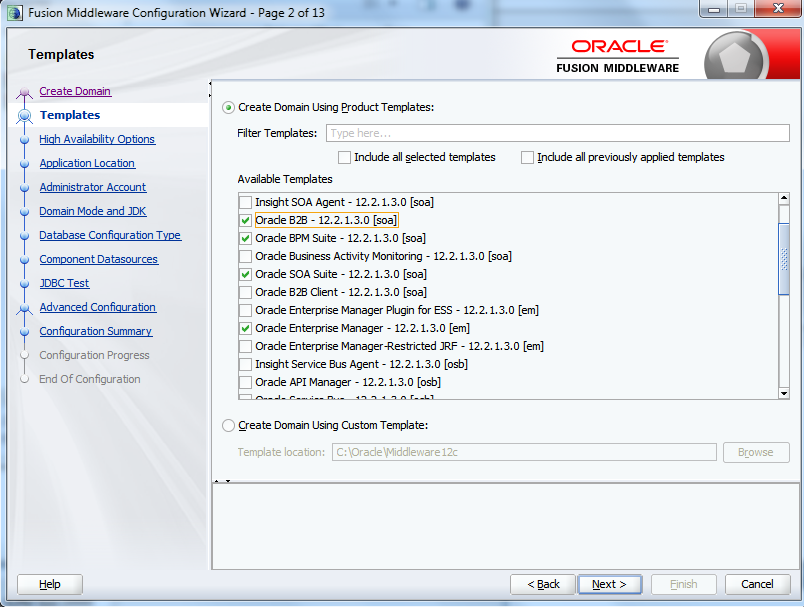
Oracle SOA suite - 12.2.1.3.0 [soa]
Oracle BPM suite - 12.2.1.3.0 [soa]
And other related competes will be automatically selected.
Optionally you can select Oracle B2B abd Business Activity Monitoring or any other required for your business process development need.


Click Net


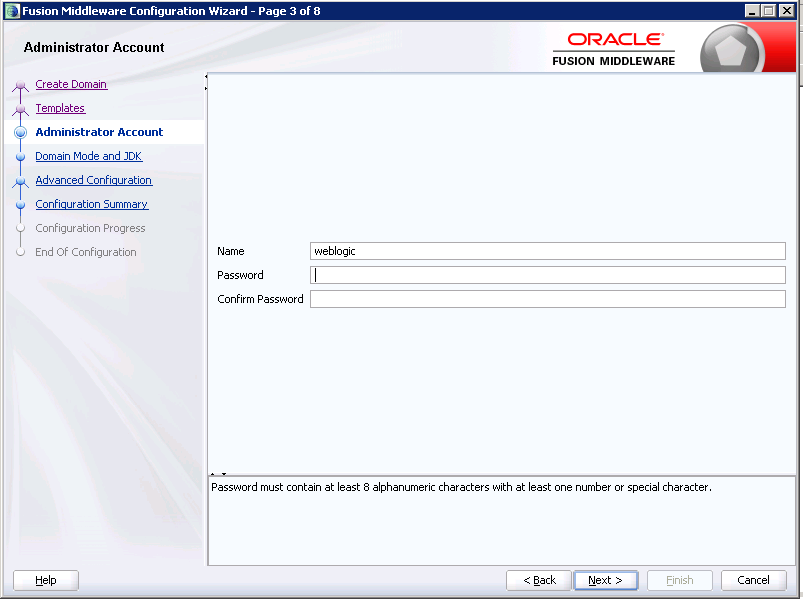
Set Weblogic Password


Click Next


Set domain directory or select default and click next


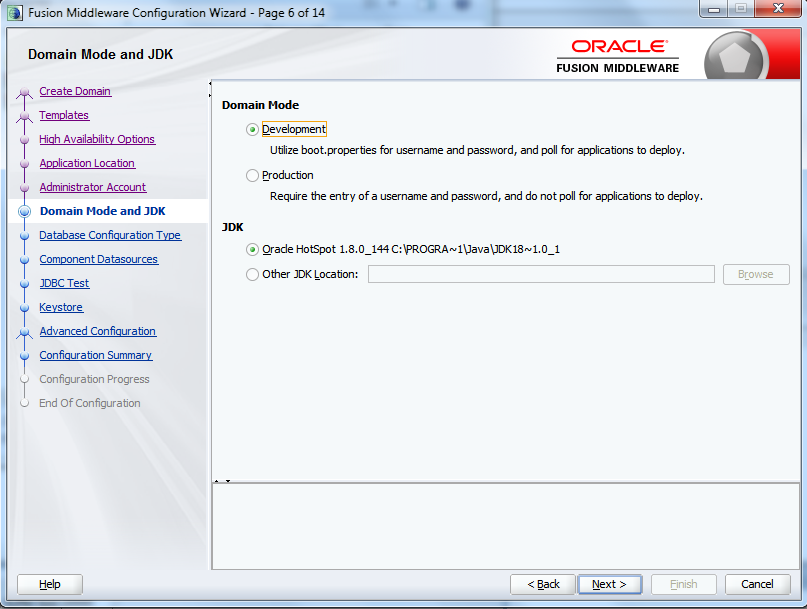
Select you domain mode and click next


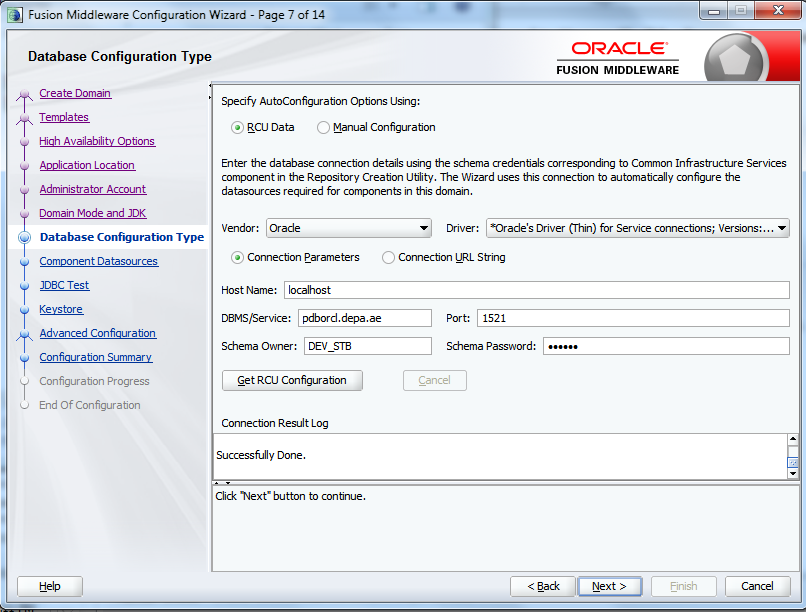
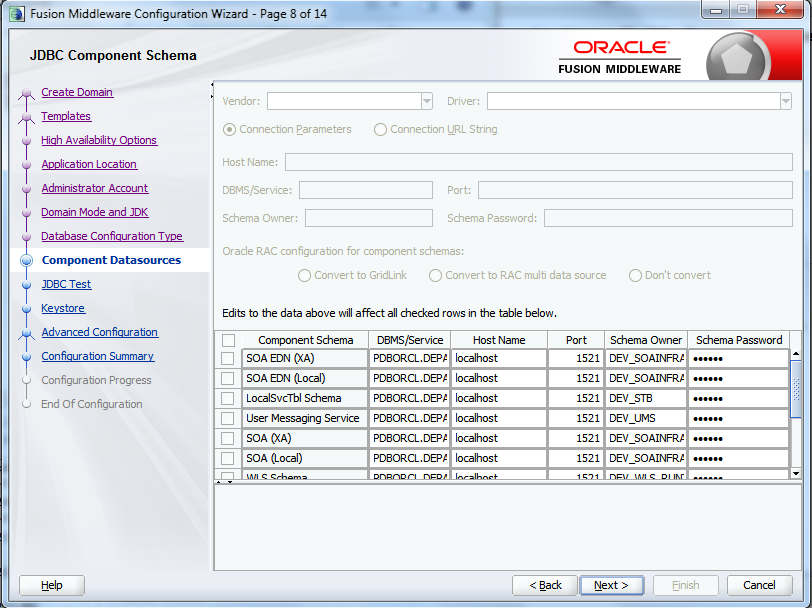
Above all tests must be successfully, otherwise check the notified issues and correct before continuing.


Click Next


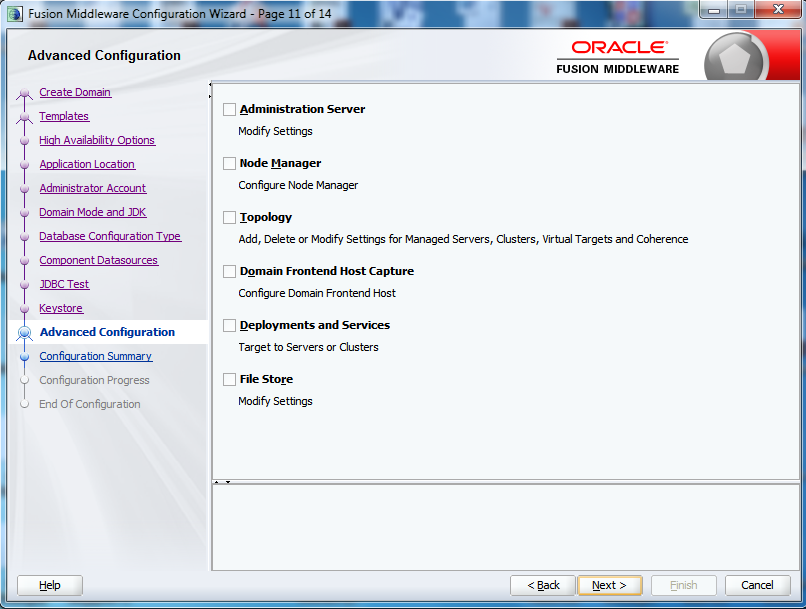
Click Next


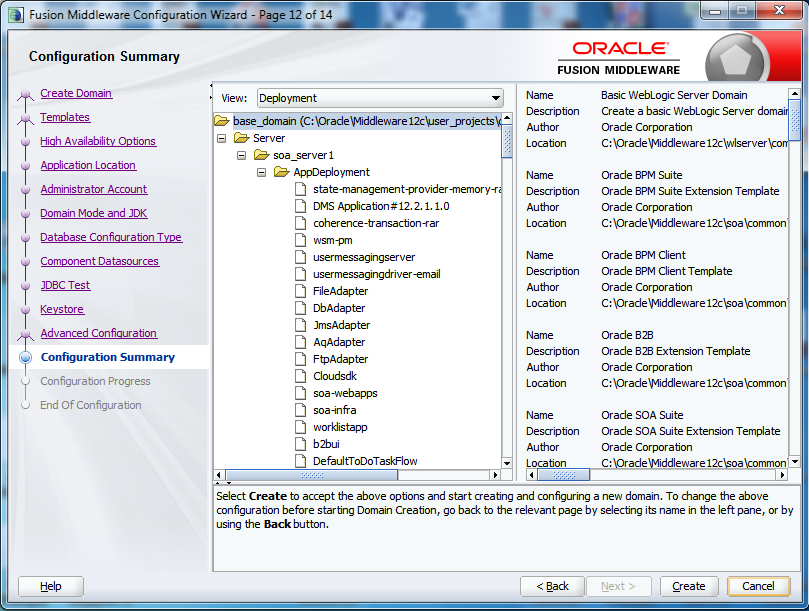
Summary report will appear and select Create


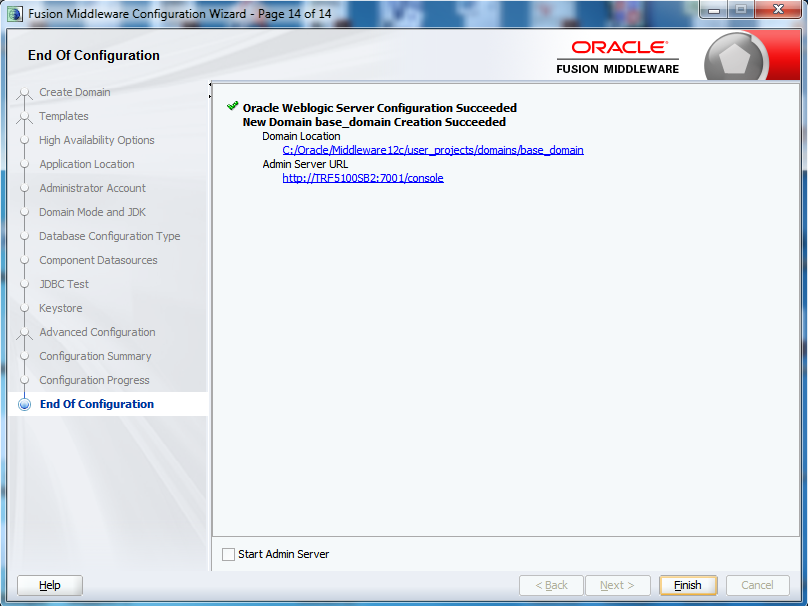
Now new SOA/BPM enabled Domain has been created and complete installation is ready for development


To start WebLogic and domain


Do to domain folder


C:\Oracle\Middleware12c\Oracle_Home\user_projects\domains\base_domain\bin


First run startWeblogic.cmd
Then run startManagedWeblogic.cmd soa_server1
And provide weblgic user and password


Please note that run start both servers in separate terminals and do not close otherwise server will be shutdown.


Oracle Jdeveloper for SOA/BPM is installed with this installation you target to jdeveloper direct under weblogic home and run j


i.e C:\Oracle\Middleware12c\jdeveloper\jdeveloper.exe


Good luck.


You can post your question and any help required, I will do my best.